01
Type it like you'd say it
“Bring in an electrician Monday for the rough-in, then drywall the week after.” Contractor PM reads the sentence, creates the subcontractor with their phone and email, adds the task, and wires the dependency.
Simple subcontractor management for house flippers
The easiest contractor management app for your flips: AI project management means you simply speak your new task and contractor into the app and let it create the dependencies. And the moment a date moves, every subcontractor involved is emailed their new start date — same day, before anyone has to pick up the phone.
Staff-only login · Subcontractors never need an account
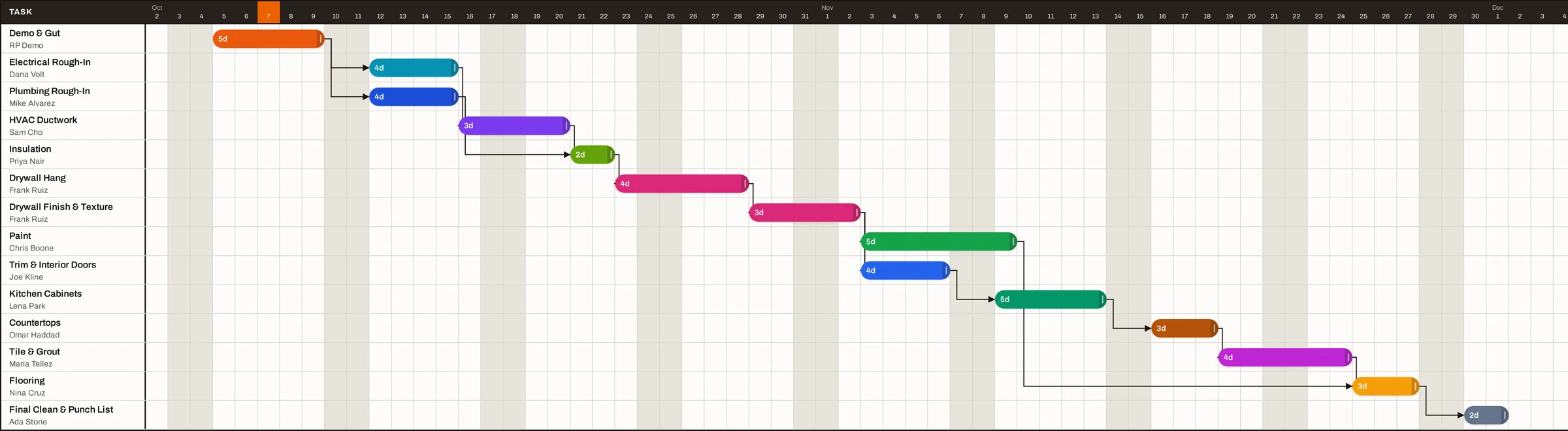
Gantt view · workdays only
“Bring in an electrician Monday for the rough-in, then drywall the week after.” Contractor PM reads the sentence, creates the subcontractor with their phone and email, adds the task, and wires the dependency.
Change a task's length, drag its start, or resize its end and every dependent task re-dates itself — down the whole chain. Slack you built in is preserved; tight hand-offs stay tight.
Schedules skip Saturdays and Sundays automatically, so a two-week drywall hang lands on real working days and your subs aren't texting about a Sunday start.
Nothing sends automatically. When dates move, you get a review panel listing every affected subcontractor and what changed. Tick who to notify, read the message, then send.
A task that passes its due date without being marked complete emails your admins — once, not every morning. Foremen can tick a task complete on the form or long-press the bar in the chart.
Run several flips at once with the same shared pool of subcontractors. Add companies and teammates with roles, and keep each company's schedule in its own space.
Calendar view
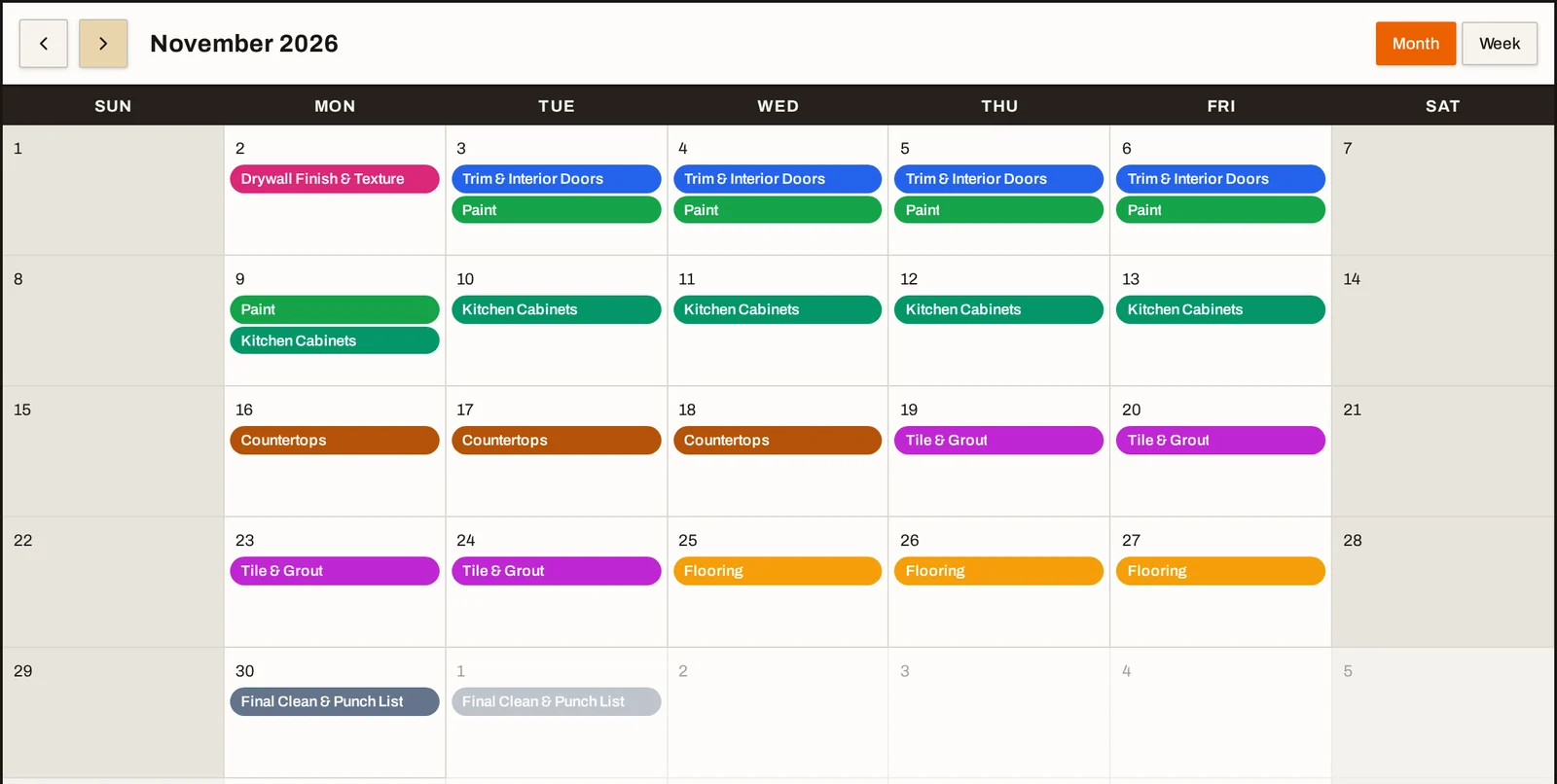
Switch the Property page between a Gantt chart and a month calendar without leaving the job. The calendar shows every subcontractor's chips day by day — handy when a sub calls and asks, “when do I start?” The Gantt shows what slips if the cabinets are late.
Type the request into the Add a Task box on the Property page, in plain language. Include the subcontractor, the timing, and the contact details of anyone new.
Contractor PM proposes the subcontractor, the tasks and the links between them. Adjust names, dates or durations in the preview — nothing is saved until you confirm.
When a change lands, review the affected subcontractors in the notification rail and send the email update. Everyone sees their new start date before they show up.


Check the schedule from your phone between walkthroughs. Your subcontractors get their new start dates without a single phone call.
You're the GC and the office. One box to type into, one chart to watch, and subs who stop asking when they're needed.
Several units running at once with a shared pool of subcontractors. Companies, members and roles keep each project's crew straight.
Add a sub from a voicemail, review the notice list before it goes out, and chase overdue work from a single alert.
From the job site
This app is so simple! I can just tell it what I want from my phone and it does the rest. It lets me get back to overseeing my project.
After I added the contractors in, I could play with the dependencies and task times to get the fastest turn around on our flip. And when something changed, I could notify all the contractors waiting for that step with the click of a button. Great job!
Every plan includes unlimited houses, subcontractors, the AI task assistant and schedule-change emails. Try it free for 7 days.
Sign in and add your first project.